Dragon Ball has more large, sharp files for its size than any other big series on Anime4KWall. Here are the best Goku, Ultra Instinct, Broly and Vegeta wallpapers and the phones they suit.
If you care about sharpness, Dragon Ball is the best collection to browse on Anime4KWall. It is a smaller category than Naruto or One Piece, but a third of its wallpapers are Full HD or larger, the highest share of any of the big series on the site. That makes it a good place to start if you have a large phone and are tired of soft, upscaled images.
The sharpest Goku wallpapers
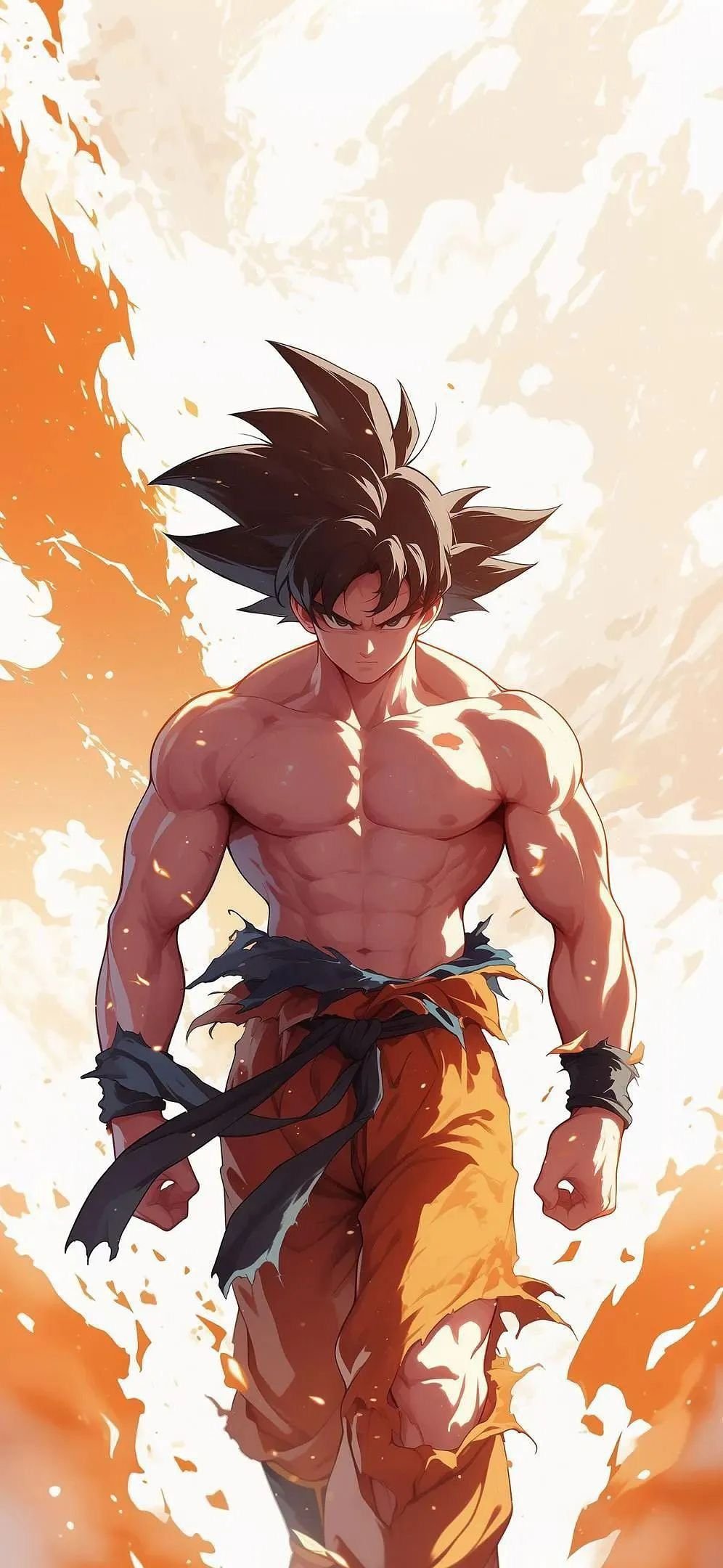
Goku Power Aura is 996×2160, and that height matters. Most wallpapers are 16:9, but this one is close to the 19.5:9 and 20:9 shapes of modern phones. In practice that means iOS and Android crop almost nothing, so you see the art as it was drawn. It is the most downloaded wallpaper in the category.
Goku Battle Aura (1200×2132) and Goku Arms Crossed 2 (1080×1909) are the other large Goku files. The arms-crossed pose is the boldest of the three: a muscular Goku filling the frame against a flat red background. The flat color makes it easy to read the clock and icons on top, as long as you drag it down a little so the time sits over his hair.
Ultra Instinct
Ultra Instinct's silver hair and pale aura look striking on a dark screen.
- Ultra Instinct Goku Blast (736×1308) is the most popular Ultra Instinct wallpaper on the site. It is a phone-sized file, so it looks best on standard-size screens.
- Ultra Instinct Goku 2 (736×1308) shows Goku charging a blue energy blast, with cooler colors than the first pick.
Broly
Broly is the other big name in this collection, and both of the large files are excellent.

Legendary Broly Burst (1200×2140) is a full-power burst in green and gold. It is busy, so it suits the lock screen more than the home screen.
Broly Green Blast (735×1225) is one of the top wallpapers on the whole site, and Raging Broly Profile (720×1280) is an intense close-up of Broly's face in green light.
Vegeta, Goku Black and the rest
- Goku Black Pink Energy (1152×2048): rosé pink energy on a dark background. Large and sharp, and a strong match for pink or purple phone themes.
- Vegeta Red Scouter (736×1308): Vegeta in blue armor with a glowing red scouter lens.
- Perfect Cell Portrait (735×1307): a villain pick for the classic Cell saga fans.
- Piccolo Energy Aura (720×1280): one of the few Piccolo wallpapers around, in a deep green.
- Dragon Ball Super Cast (1198×1608): a group shot of the Super cast. It is a wider 3:4 shape, so it fits tablets in portrait better than phones.
Why the bigger files look better
Your phone always fills the screen with the wallpaper. If the file is smaller than the screen, the phone has to invent the missing pixels by stretching the image, and the result looks soft. Here is what that means for common screens:
| Screen | Width | 736 px file | 1080 px file | 1200 px file |
|---|---|---|---|---|
| iPhone SE | 750 px | Sharp | Sharp | Sharp |
| Galaxy S24 / Pixel 8 | 1080 px | Enlarged 1.5× | Sharp | Sharp |
| iPhone 15 / 16 | 1179 px | Enlarged 1.6× | Slightly enlarged | Sharp |
| iPhone 16 Pro Max | 1320 px | Enlarged 1.8× | Enlarged 1.2× | Slightly enlarged |
Bold anime art with thick outlines and strong colors hides scaling better than detailed illustrations, which is why many 736-pixel Dragon Ball wallpapers still look good. But if your phone is on the right side of that table, start with the large files listed above.
Bright or dark: picking for your screen
Dragon Ball art is unusually bright. Super Saiyan gold, Ultra Instinct silver and Broly's green all glow, and a lot of the collection uses light or white backgrounds. That is great on a sunny day, but there are a few things to keep in mind.
- Light backgrounds need a dark clock. On Goku Power Aura, the white and orange background makes white digits hard to read. On iPhone, tap the clock while editing the lock screen and choose a dark color. On Android, check your lock-screen clock settings.
- Dark backgrounds suit OLED. If you want to save a little battery on an always-on display, Goku Black Pink Energy and Perfect Cell Portrait are the darkest files in the category.
- Bright art fights with icons. Busy, high-energy scenes like Ultra Instinct Goku Blast look best on the lock screen. If you use one on the home screen, turn on the iPhone's home-screen blur, or a dimming option on Android, so your apps stay readable.
A good rule: put the most dramatic image on the lock screen, where you see it for a second at a time, and something calmer behind your apps.
Quick picks
- Best overall: Goku Power Aura
- Best simple background: Goku Arms Crossed 2
- Best villain: Goku Black Pink Energy
- Best for big screens: Legendary Broly Burst
Browse all of them in the Dragon Ball category or the Dragon Ball collection.